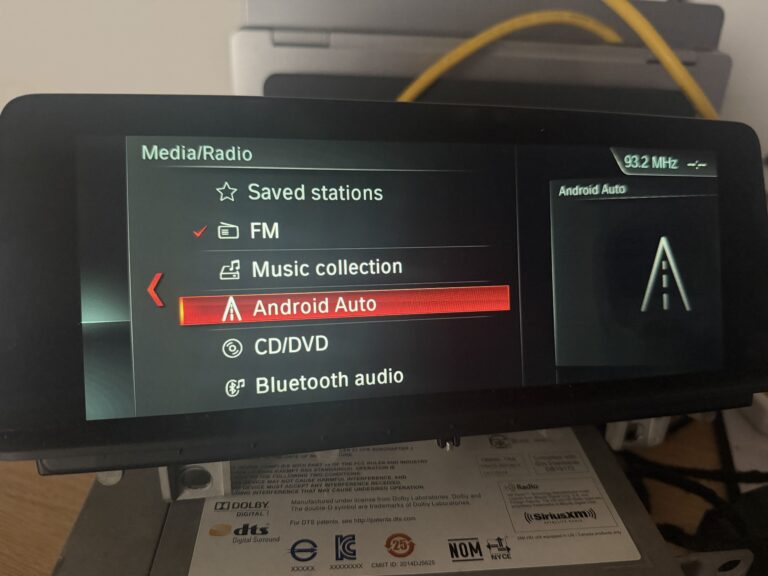
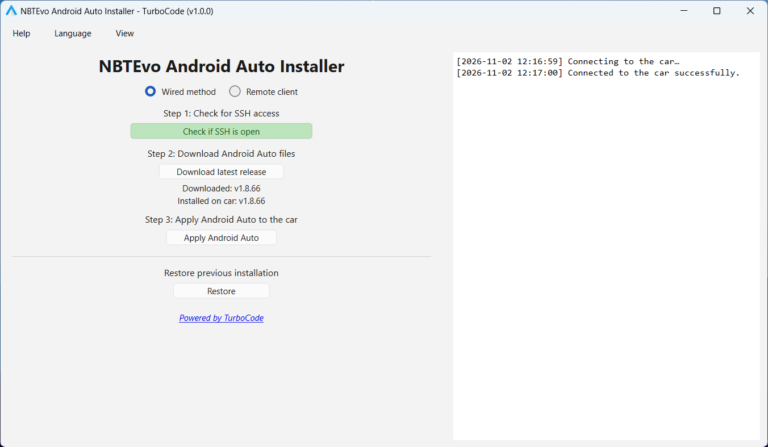
NBTEvo Android Auto Installer is a free Windows application developed by TurboCode to simplify the installation and updating of Android Auto on compatible NBT EVO and iDrive 6 head units.
The application eliminates the need to manually download release files, extract archives, transfer files, or execute installation commands.
Designed to simplify deployment of the independent NBT-AAD project, the installer downloads the required files directly from the official GitHub repository and handles their installation automatically.
Key Features
Completely Free: No registration, activation keys, subscriptions, or installer fees.
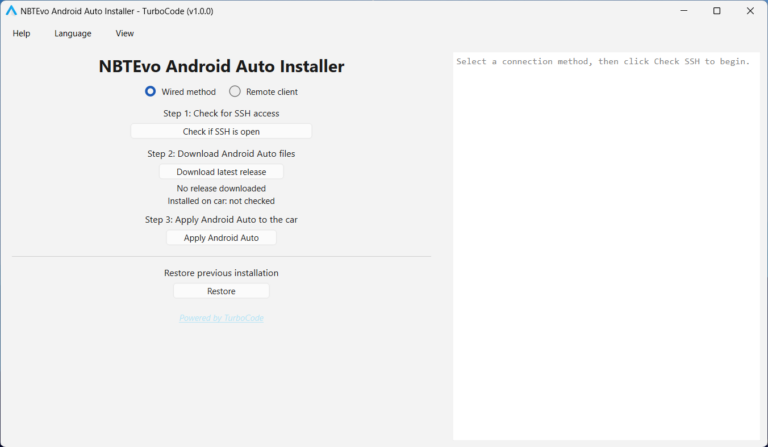
Simple Three-Step Installation: Check the connection, download the required files, and apply Android Auto.
Automatic GitHub Downloads: Retrieves the latest Android Auto files from the official NBT-AAD release.
Automatic File Preparation: Downloads, extracts, and verifies the necessary files automatically.
Wired ENET Support: Connect directly to the vehicle using a compatible ENET cable.
Remote Installation: Supports remote connections through TurboCode Proxy.
Backup and Restore: Preserves the previous installation when available and provides a restore option.
Easy Updates: Update an existing Android Auto installation without manually replacing files.
Version Information: Displays downloaded and installed Android Auto release versions.
Automatic iDrive Restart: Requests a head-unit restart after installation.
Light and Dark Mode: Clean Windows interface with installation progress and optional diagnostic logging.
Application Updates: Built-in update checking for new TurboCode installer versions.
How Does It Work?
The installation process consists of three straightforward steps.
Step 1: Check Connection
Connect your Windows computer to the vehicle using an ENET cable or through TurboCode Proxy.
Click Check if SSH is open to verify communication with the head unit.
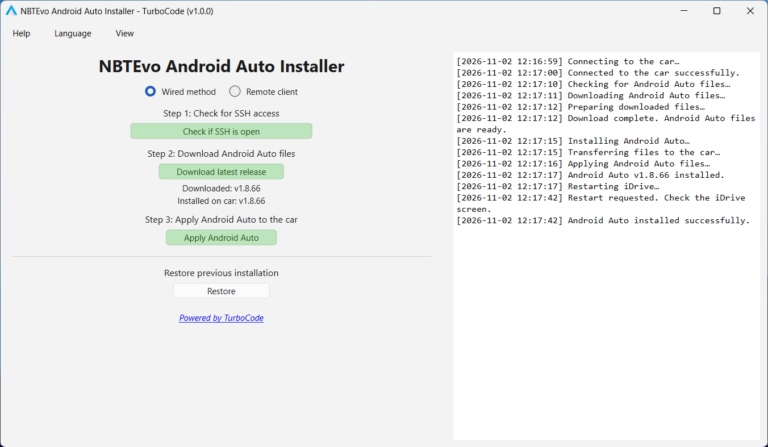
The application automatically downloads the required Android Auto executable and plugin files from the official GitHub Installer release.
The downloaded archive is extracted and verified automatically. No manual downloads, ZIP extraction, or USB drive preparation are required.
Step 3: Apply Android Auto
Click Apply Android Auto.
The application transfers the necessary files to the head unit, handles an existing installation when applicable, and verifies the installed files.
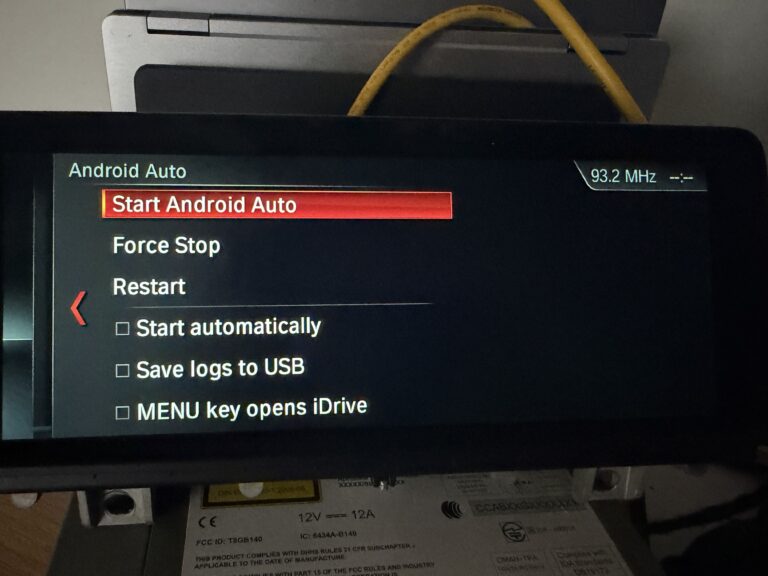
After successful installation, the application requests an iDrive restart to apply the changes.
System Requirements
Windows 10 or Windows 11 computer.
Compatible NBT EVO / iDrive 6 head unit.
ENET cable for wired installation or TurboCode Proxy for remote connections.
Active internet connection for downloading Android Auto files.
Existing Apple CarPlay capability, as currently required by the upstream NBT-AAD project.
Compatible Android smartphone.
Stable vehicle power during installation.
Frequently Asked Questions
Is NBTEvo Android Auto Installer free?
Yes. The Windows installer is completely free to download and use. No activation keys, registration, subscriptions, or purchases are required.
Does it work with every BMW NBT EVO system?
Not necessarily. Compatibility depends on the installed head unit, firmware, and hardware configuration. The underlying NBT-AAD project was primarily developed for the Toyota Supra J29.
Can I update an existing Android Auto installation?
Yes. The application supports updating existing NBT-AAD installations by downloading and applying the latest available files from the GitHub Installer release.
Do I need to extract files or use a USB drive?
No. The installer automatically downloads and prepares the required files. Everything is transferred directly through the selected connection method.
Can I install Android Auto remotely?
Yes. Remote installation is supported through TurboCode Proxy running on a computer connected to the vehicle.
Can I restore my previous installation?
The installer includes backup and restore functionality. If previous files were backed up successfully, the Restore option can be used to restore them.
An independent backup is recommended before modifying the head unit.
Does the head unit restart automatically?
After a successful installation or restoration, the application automatically requests an iDrive restart to apply the changes.
NBT-AAD Project, Licensing & Credits
NBTEvo Android Auto Installer is a free installation utility developed by TurboCode to simplify deployment of the independent NBT-AAD Android Auto project.
The installer retrieves the required Android Auto files directly from the official upstream GitHub release. TurboCode does not sell the NBT-AAD software.
NBT-AAD is licensed under the PolyForm Noncommercial License 1.0.0.
The upstream software is provided free of charge and is licensed for noncommercial purposes under the terms of that license. Commercial use is not automatically permitted, and selling NBT-AAD or including it in paid software bundles is prohibited by the upstream project’s stated distribution conditions.
The NBT-AAD license applies independently of the free TurboCode installer. Downloading or using this installer does not remove or modify any upstream licensing restrictions.
All rights to NBT-AAD remain with their respective copyright holders. Credit for the underlying Android Auto implementation belongs to the original project and its contributors.
Important Disclaimer
Installing Android Auto modifies files on the vehicle’s head unit. Incorrect installation, incompatible software, or interrupted operations may affect head-unit functionality and require recovery.
Always verify compatibility, maintain stable vehicle power, and create an independent backup before making changes.
The software is provided as-is, without any guarantee of compatibility or successful installation.
TurboCode is not affiliated with, sponsored by, or endorsed by BMW or Toyota. All respective trademarks belong to their respective owners.