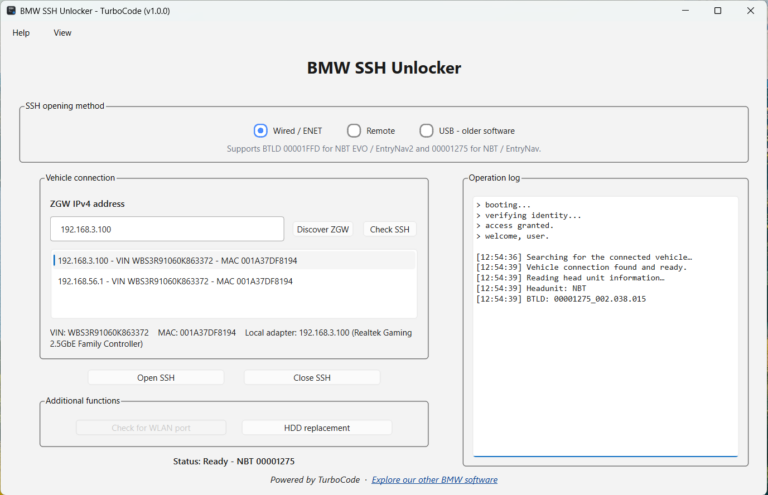
Professional Windows software for opening and managing SSH access on supported BMW NBT and NBT EVO head units.
Built for BMW coding and retrofit professionals working on multiple customer vehicles.
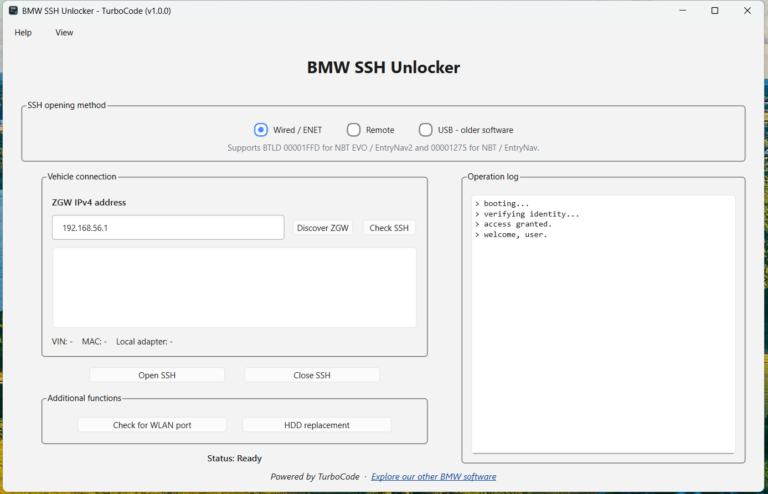
Connect directly to your BMW using an ENET cable and unlock SSH through a simple, guided process.
The application automatically handles the essential steps:
Discover the connected BMW gateway
Detect the NBT or NBT EVO head unit
Read the installed bootloader version
Identify the appropriate supported SSH activation method
Perform the SSH unlock procedure
Verify that SSH is open and reachable
No complicated manual commands or separate activation services are required for supported head units.
Remote SSH Unlock
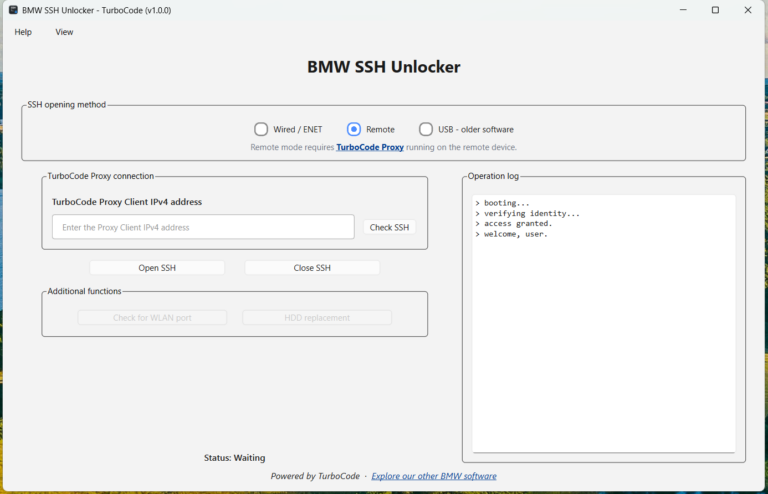
Perform SSH activation remotely using TurboCode Proxy running on the Windows computer connected to the vehicle.
This allows workshops, retrofit specialists, and coding professionals to perform supported SSH operations without being physically present at the vehicle.
USB Method for Older Software
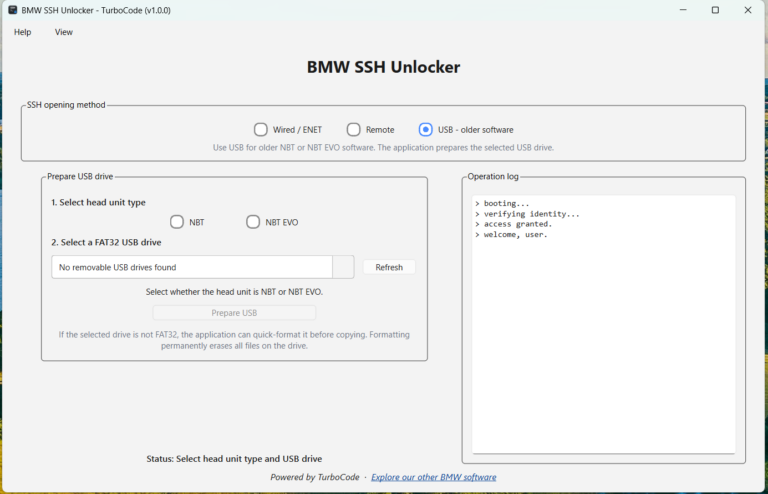
For compatible older NBT and NBT EVO software versions, the application includes a built-in USB preparation method.
The USB method is generally intended for compatible head units running software before I-Step 18.
The application guides you through preparing the required USB drive.
Check SSH Status
Quickly verify whether SSH is currently open and reachable on the connected head unit.
This is particularly useful before using other BMW customization software that requires SSH access.
Close SSH
Deactivate SSH directly from the application when it is no longer needed.
The guided process makes it easy to manage SSH access without manually entering commands.
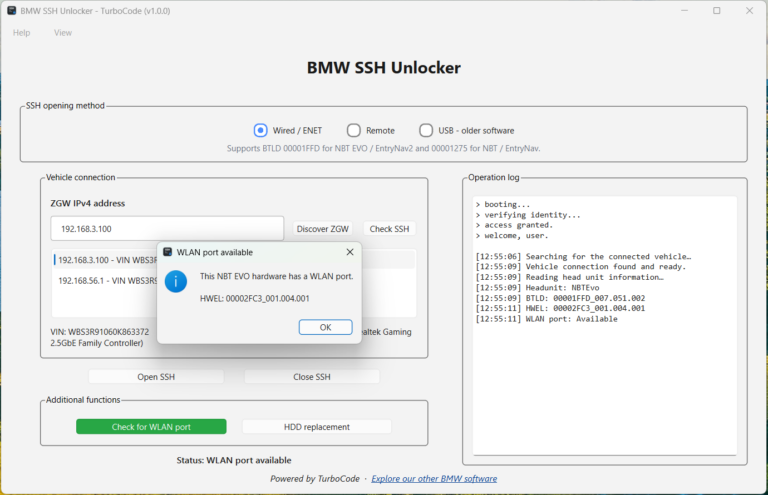
NBT EVO WLAN Port Check
Use the built-in Check for WLAN Port function to read NBT EVO hardware information and determine whether the detected hardware version is known to include a physical WLAN connector.
This is useful when evaluating NBT EVO hardware for wireless connectivity upgrades and retrofits.
Replacement HDD Initialization
The built-in HDD Replacement function allows you to initialize a physically installed replacement hard drive through SSH.
For additional safety, this feature is available exclusively through a direct Wired / ENET connection.
Multilanguage Interface
Starting with version 1.1.0, BMW NBT / NBT EVO SSH Unlocker includes a fully translated interface in 11 languages:
English
German
Russian
Japanese
Spanish
French
Italian
Polish
Bulgarian
Romanian
Simplified Chinese
The application automatically detects your Windows display language on first launch.
You can also manually change the interface language at any time.
Designed for Professional BMW Work
TurboCode BMW NBT / NBT EVO SSH Unlocker is designed for workshops, coding businesses, retrofit specialists, and enthusiasts who regularly work with supported BMW head units.
Unlike services that charge separately for each vehicle, TurboCode provides unlimited authorized vehicle usage with a single workstation license.
Key benefits include:
One-time purchase – Pay once without recurring charges
Unlimited authorized vehicles – No restrictions based on VIN count
No per-VIN activation fees – Use the software across supported vehicles
No subscription – No monthly or annual payments
Wired and remote support – Work locally or through TurboCode Proxy
Free software updates – Receive future application updates at no additional cost
Direct TurboCode support – Get assistance directly from the developer
For professionals working on multiple BMW vehicles, this provides a cost-effective alternative to purchasing individual SSH activations.
Works With Other TurboCode Software
BMW NBT / NBT EVO SSH Unlocker integrates naturally into the TurboCode BMW customization software ecosystem.
After SSH has been successfully opened, you can use compatible TurboCode applications such as:
BMW Boot Animation Replacer – Replace the factory startup animation with a custom video
BMW Car Image Replacer – Customize the vehicle image displayed in iDrive
BMW Clock Changer – Personalize the NBT EVO clock appearance
This makes SSH Unlocker a valuable foundation for a professional BMW NBT and NBT EVO customization toolkit.
Requirements
Wired / ENET Connection
For direct vehicle access, you will need:
Windows 10 or Windows 11 computer
BMW ENET cable
Supported BMW NBT or NBT EVO head unit
Stable connection between the computer and vehicle
Active internet connection
Remote Connection
For remote SSH operations, you will need:
Windows computer connected to the vehicle
BMW ENET cable connected at the vehicle
TurboCode Proxy running on the remote computer
Trusted private network or VPN connection
Supported BMW NBT or NBT EVO head unit
Active internet connection
USB Method
For compatible older software versions, you will need:
Supported older NBT or NBT EVO software version
Removable USB drive
Windows computer
The application can automatically prepare the USB drive when required.
Get Your License
Simple One-Time Licensing
Get professional SSH unlocking capabilities with a single purchase and no recurring fees.
Your license is permanently linked to the Windows computer on which it is activated.
You can use the software with an unlimited number of supported vehicles that you own or are authorized to work on, without purchasing separate activations.
Professional Software Bundles
BMW NBT / NBT EVO SSH Unlocker is also available in discounted TurboCode Professional Software Bundles.
Combine SSH Unlocker with BMW Car Image Replacer, BMW Boot Animation Replacer, and BMW Clock Changer to create a complete BMW NBT EVO customization toolkit.
Software bundles are an excellent choice for workshops and coding professionals who want access to multiple TurboCode applications at a discounted combined price.