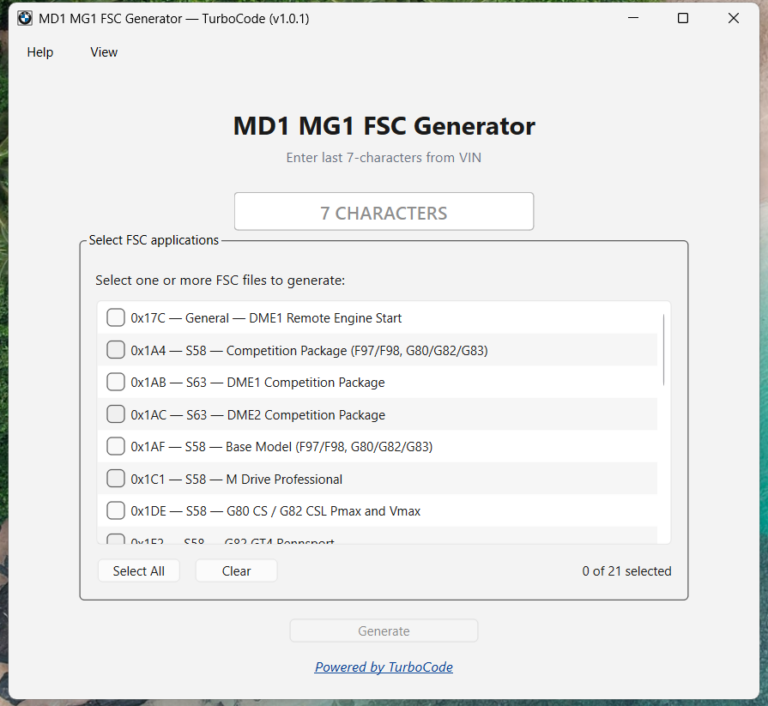
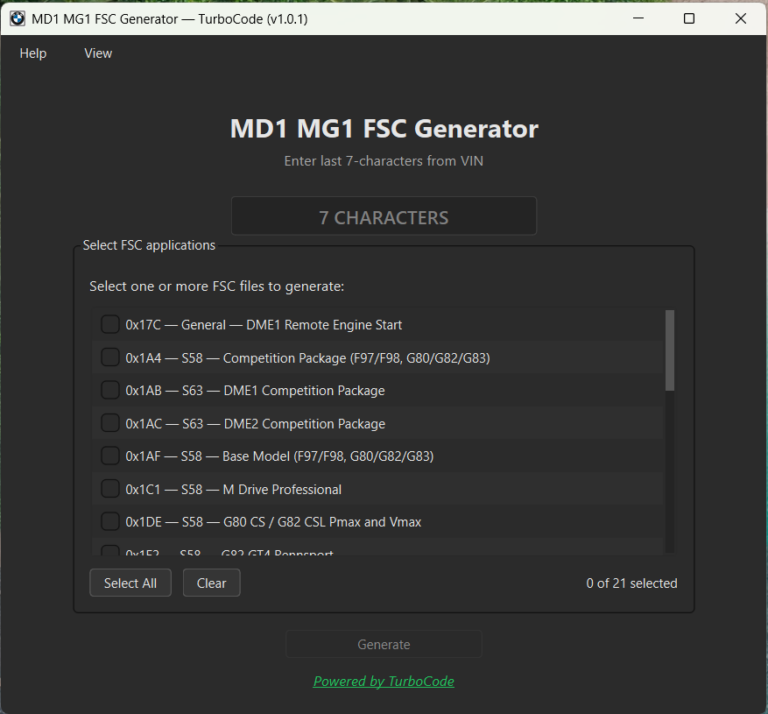
Professional Windows software for generating supported VIN-specific FSC files for BMW MG1 and MD1 engine control units.
Built for BMW coding and programming professionals working with FSC-based functions.
Generate VIN-specific FSC files for supported BMW MG1 and MD1 engine control units using a simple Windows application.
Enter the final seven characters of the vehicle VIN and click Generate. The application automatically creates all supported FSC files and saves them in a dedicated folder on your Desktop.
No command line, manual file editing, or DME read is required for file generation.
Key Features
Simple VIN Input
Enter the final seven characters of the vehicle VIN. The application automatically validates and formats the input before generating any files.
One-Click Generation
Generate all supported FSC application IDs for the selected VIN at once.
There is no need to create each FSC file individually.
No DME Read Required
FSC files are generated directly from the entered VIN. A DME read or connection to the vehicle is not required for the file-generation process.
Organized Output
Generated files are automatically saved inside a dedicated Desktop folder named after the VIN.
Each FSC file is clearly named for easy identification and further processing.
Built-In FAQ and User Guide
The application includes a built-in user guide and FAQ covering:
Basic application usage
Supported engine control units
Included FSC application IDs
Output-file locations
Compatibility considerations
Common questions and troubleshooting
Automatic Software Updates
New versions, software fixes, and compatibility updates can be downloaded and installed directly from the application.
Unlimited VINs
One license allows FSC generation for an unlimited number of vehicles that you own or are authorized to work on.
No additional VIN purchases or subscription fees are required.
Built for Professional BMW Work
TurboCode MG1/MD1 FSC Generator provides a fast and consistent workflow for generating supported FSC files for compatible BMW engine control units.
The application handles VIN validation, FSC generation, and file organization automatically, reducing repetitive manual work for professional BMW coding and programming jobs.
VIN-specific FSC generation
Multiple supported FSC applications
Automatic VIN validation
Organized output files
Unlimited authorized vehicles
No subscription
Free software updates
Supported FSC Applications
General and Cross-Platform Applications
0x17C – DME1 Remote Engine Start Release
0x180 – DME2 Remote Engine Start Release
0x095 – DME1 Vmax Release for supported M vehicles
0x07B – DME2 Vmax Release for supported M vehicles
S58B30T0
Supported applications are available for selected variants of:
BMW M2
BMW M3
BMW M4
BMW X3 M
BMW X4 M
Depending on the vehicle and ECU software, supported FSC applications may include:
M Driver’s Package
M Drive Professional
Competition Package
G80 CS applications
G82 CSL applications
G87 M2 applications
G87 M2 CS applications
Selected motorsport variants
Selected factory Pmax and Vmax applications
S63B44T4
Supported vehicle families include selected variants of:
BMW M5
BMW M8
BMW X5 M
BMW X6 M
Included applications:
0x1AB – DME1 Competition Package
0x1AC – DME2 Competition Package
Important Compatibility Information
Generated FSC files are not guaranteed to be accepted by every ECU.
Compatibility depends on several factors, including:
Vehicle model and configuration
DME hardware version
DME software version
Vehicle integration level
Existing FSC status
BMW software and security changes
BMW may release ECU software updates that change, restrict, or close compatibility with individual FSC applications.
FSC Generation vs. Activation
TurboCode MG1/MD1 FSC Generator creates FSC files only. It does not automatically import, activate, or program them into the vehicle.
Applying generated files requires:
Appropriate BMW programming tools
A compatible ECU and software version
A suitable FSC import workflow
Relevant technical knowledge
The user is responsible for confirming compatibility before attempting to apply any generated FSC file.
System Requirements
To use the application, you need:
Windows 10 or Windows 11 computer
Appropriate BMW programming software and hardware for FSC importing
Technical knowledge of the required BMW programming workflow
An ENET cable or another compatible vehicle interface may be required during the separate FSC import process.
No vehicle connection is required to generate FSC files. Only the final seven characters of the VIN are needed.
Get Your License
License Details
Price: $100 USD
License type: One-time purchase
PC limit: One Windows computer
VIN limit: Unlimited authorized VINs
Subscription: None
Software updates: Included free of charge
The license is permanently linked to the computer on which it is activated.
You can generate FSC files for an unlimited number of vehicles that you own or are authorized to work on, without additional VIN-based charges.
Professional Software Bundles
BMW MG1/MD1 FSC Generator is also included in the TurboCode Complete Professional Suite, alongside the full range of current TurboCode professional software.
Alternative Payment Methods
The standard checkout instructions are intended for PayPal payments.
Please contact us before placing your order if you would like to use a payment method other than PayPal.
We will confirm the available payment options and provide the correct purchasing instructions.
After payment has been confirmed, software download and license activation instructions will be sent to the email address used for the order.