Professional Windows software for installing custom clock designs on supported BMW NBT EVO and EntryNav2 head units.
Built for BMW coding and retrofit professionals offering iDrive personalization.
Key Features
Simple Guided Process
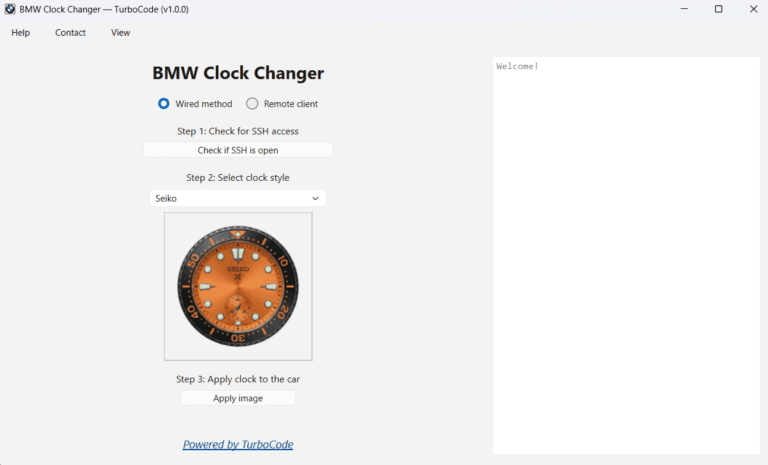
Install your selected clock style using a clear three-step workflow with progress indicators, activity logs, and visual confirmation at every important stage.
Choose the connection method that works best for you:
Wired ENET – Connect directly to the vehicle for the fastest installation
Remote ENET – Perform the installation remotely using TurboCode Proxy
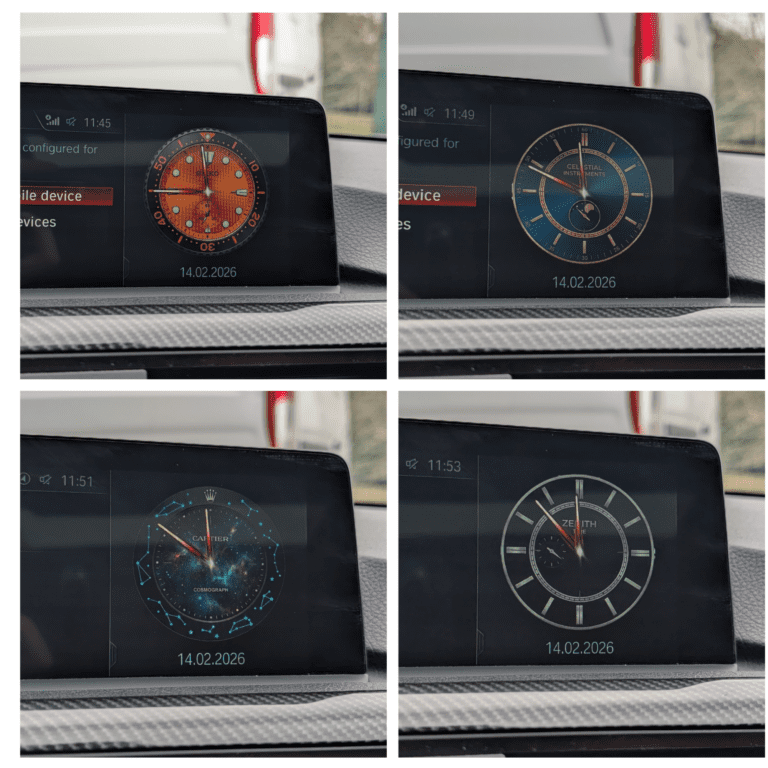
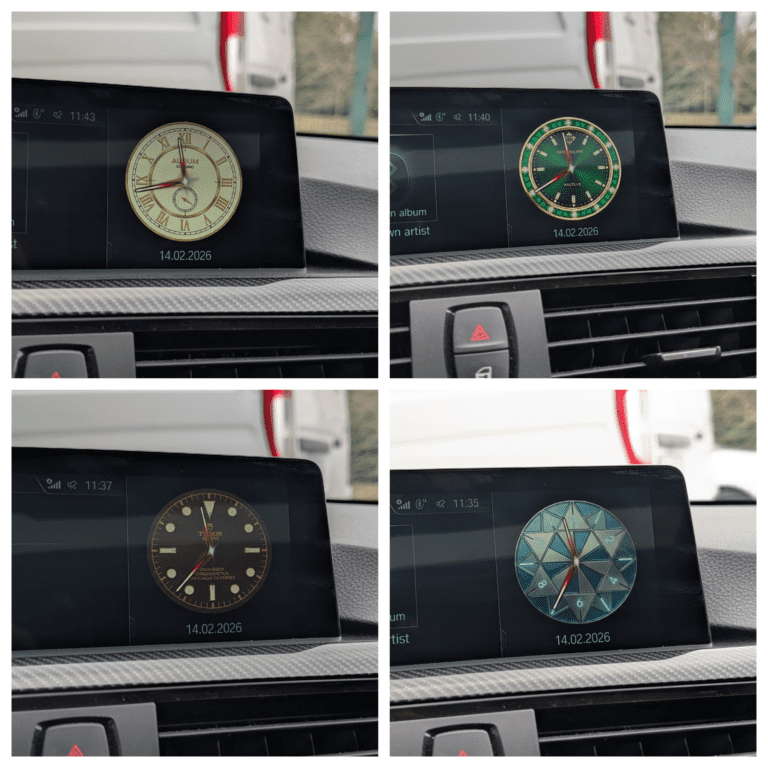
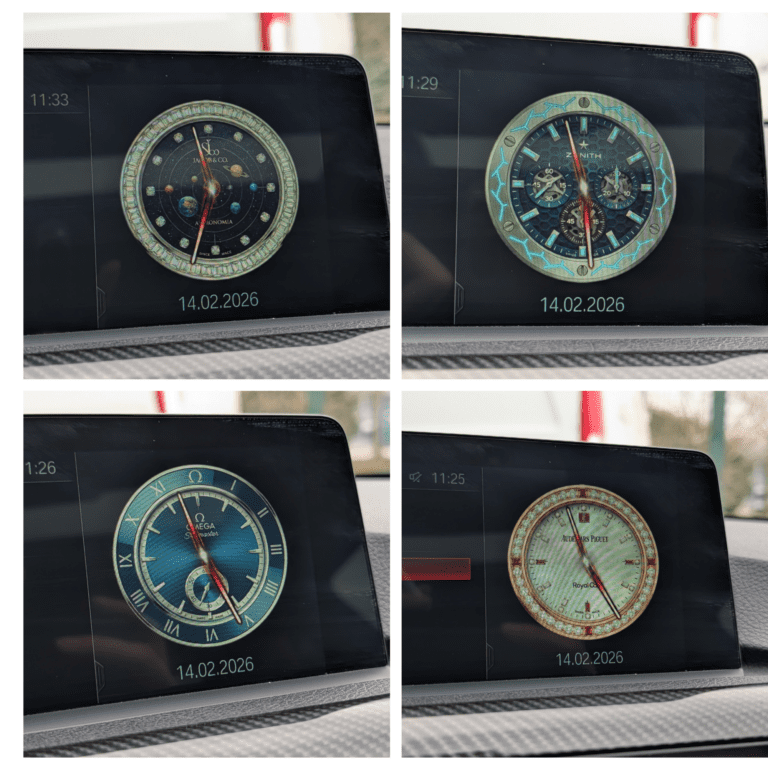
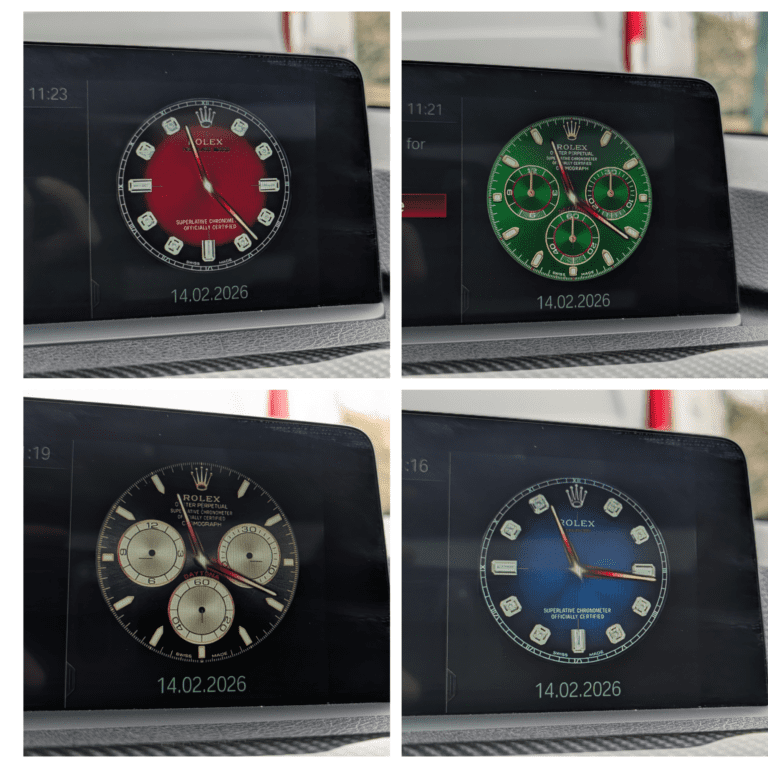
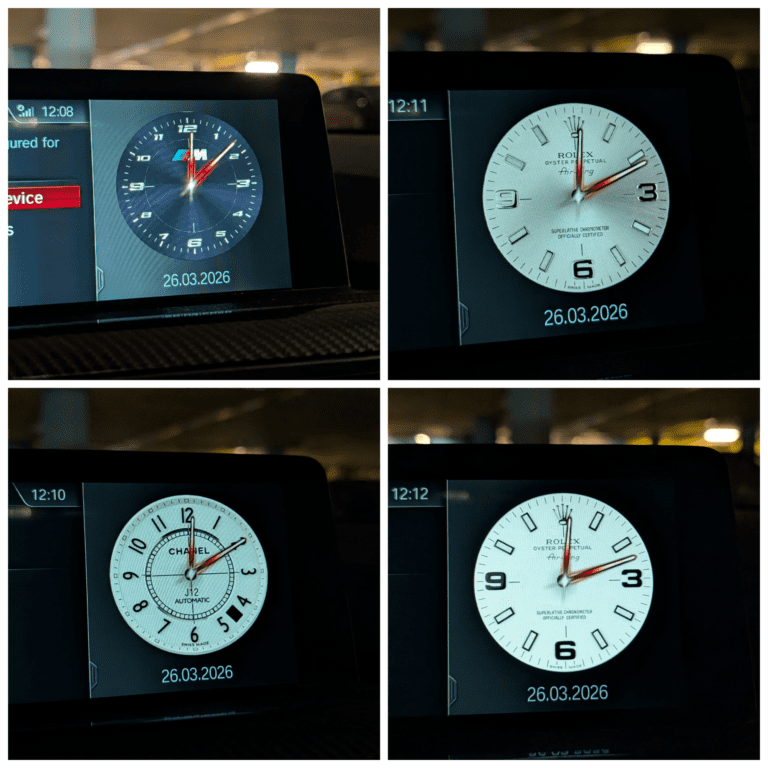
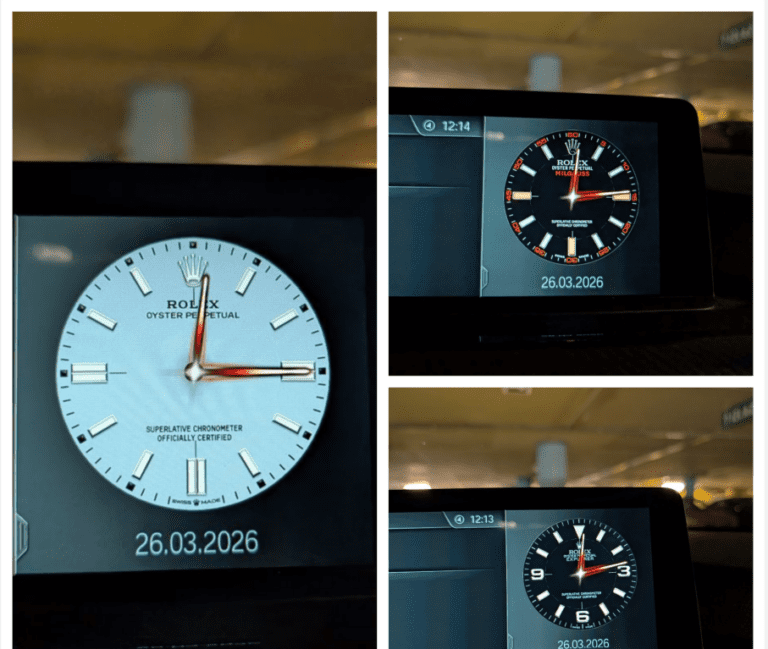
26 Clock Choices Included
Choose from:
25 custom clock styles
The original stock clock
Every available clock is included with the application and can be selected directly from the built-in gallery.
Built-In Live Preview
Preview every clock style inside the application before installing it.
This allows you to compare the available designs and confirm your choice before making any changes to the head unit.
One-Click Installation
Once you have selected a clock style, the application:
Verifies the connection to the head unit
Uploads the required clock files
Applies the selected design
Automatically restarts the iDrive interface
The new clock becomes active without requiring manual file transfers or command-line access.
Clear Progress and Connection Information
The application provides understandable status messages, progress indicators, and connection feedback throughout the installation.
This makes it easy to see what is happening and quickly identify connection problems.
Broad Compatibility
Compatible with supported BMW, MINI, and Rolls-Royce vehicles equipped with NBT EVO ID5, NBT EVO ID6, or EntryNav2 head units.
Built-In FAQ and User Guide
The application includes a detailed FAQ and user guide covering:
Wired ENET setup
Remote connection setup
SSH requirements
Clock selection and preview
Installation procedure
Common connection problems
Troubleshooting and restoration
Automatic Software Updates
New versions, clock styles, fixes, and compatibility improvements can be downloaded and installed directly from the application.
Built for Professional BMW Customization
BMW Clock Changer provides a fast and consistent way to offer custom iDrive clock designs on supported BMW head units.
The application includes multiple built-in clock styles, live preview and easy restoration of the original BMW clock.
SSH can be enabled using compatible Feature Installer or FSC tools.
For remote installations, TurboCode Proxy must be running on a computer connected to the vehicle.
Compatibility
Supported Head Units
NBT EVO ID5
NBT EVO ID6
EntryNav2
Supported vehicle brands include:
BMW
MINI
Rolls-Royce
Get Your License
License Details
Price: $100 USD
License type: One-time purchase
PC limit: One Windows computer
Vehicle limit: Unlimited VINs
Subscription: None
Software updates: Included free of charge
The license is permanently linked to the computer on which it is activated. It can be used with an unlimited number of supported vehicles.
Professional Software Bundles
BMW Clock Changer is also available as part of discounted TurboCode professional software bundles together with Car Image Replacer, Boot Animation Replacer and other TurboCode tools.
Alternative Payment Methods
The standard checkout instructions are intended for PayPal payments.
Please contact us before placing your order if you would like to use a payment method other than PayPal.
We will confirm the available payment options and provide the correct purchasing instructions.
After payment has been confirmed, the software download and license activation instructions will be sent to the email address used for the order.