Subtotal 0,00 $

Rev Up Your Drive
Rev Up Your Drive
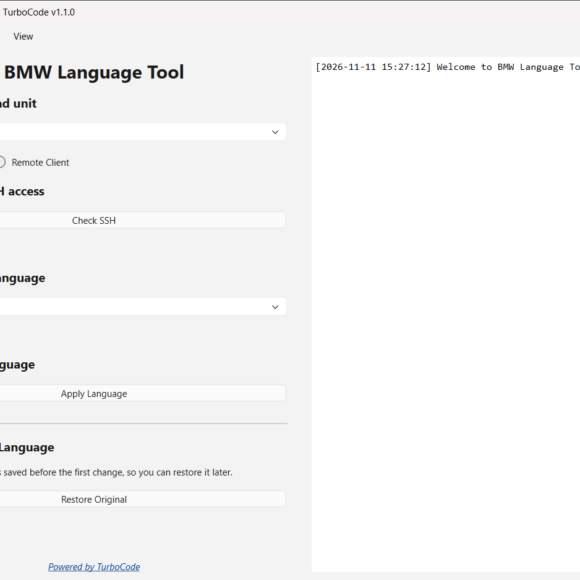
Professional Windows software for installing 23 iDrive language options across 17 languages on supported BMW NBT ID3 and NBT EVO ID4, ID5 and ID6 head units.
Select your head unit, verify SSH connectivity, choose your preferred language, and apply the changes through a simple guided process.
Includes Cyrillic and Latin language options, automatic original language backup, Restore Original functionality, and support for Wired and Remote ENET installations.
One-time license • 1 Windows PC • Unlimited supported vehicles • No subscription • Free software updates
Availability: In Stock
BMW Language Tool is professional Windows software designed to install additional languages on compatible BMW NBT ID3 and NBT EVO ID4, ID5 and ID6 head units.
Choose from 23 language options across 17 languages and install your preferred option using a simple guided interface.
Designed for BMW enthusiasts, coding specialists, retrofit professionals, and workshops offering language customization services.
BMW Language Tool includes 23 language options:
All language options are included with your license.
Simply select the desired language from the dropdown menu and apply it to your compatible head unit.
No individual language pack purchases or additional downloads required.
Installing your preferred iDrive language is straightforward.
Step 1 – Select Head Unit
Choose NBT ID3, NBT EVO ID4, or NBT EVO ID5/ID6 from the dropdown menu.
Step 2 – Check SSH
Connect to your vehicle and verify SSH connectivity using the built-in connection checker.
Step 3 – Select Language
Choose one of the 23 available language options from the application dropdown menu.
Step 4 – Apply Language
Click Apply Language and let the software handle the installation.
The application prepares the selected language, transfers the required files, saves the original language, applies the changes, and requests an iDrive restart.
Connect directly to your vehicle using an ENET cable.
The application verifies the SSH connection and handles the language installation without requiring a USB drive.
Ideal for local BMW coding and customization work.
BMW Language Tool also supports remote installations using TurboCode Proxy.
This allows the software to connect remotely to a supported head unit while another Windows computer is connected directly to the vehicle.
Perfect for professional remote coding, retrofit services, and international customer work.
BMW Language Tool supports:
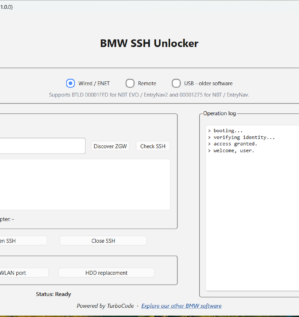
SSH access can be enabled using:
Price: $100 USD
The license is permanently linked to the Windows computer on which it is activated.
You can use the software on an unlimited number of compatible vehicles that you own or are authorized to work on.
There are no recurring subscription fees or additional charges for the included languages.
Whether you’re adding your preferred language to your own BMW or offering professional language installation services, BMW Language Tool provides a repeatable and efficient workflow.
Perfect for:
Your vehicle. Your language. Your iDrive.